Customers & locations
Find customers as you type. Keep every job site under one profile, review previous orders, and start a new order for the same site.
YOUR CONNECTED RENTAL WORKSPACE
From the first quote to the final pickup, bring your customers, equipment, field team, and billing together in one clear workspace.
Today’s operations
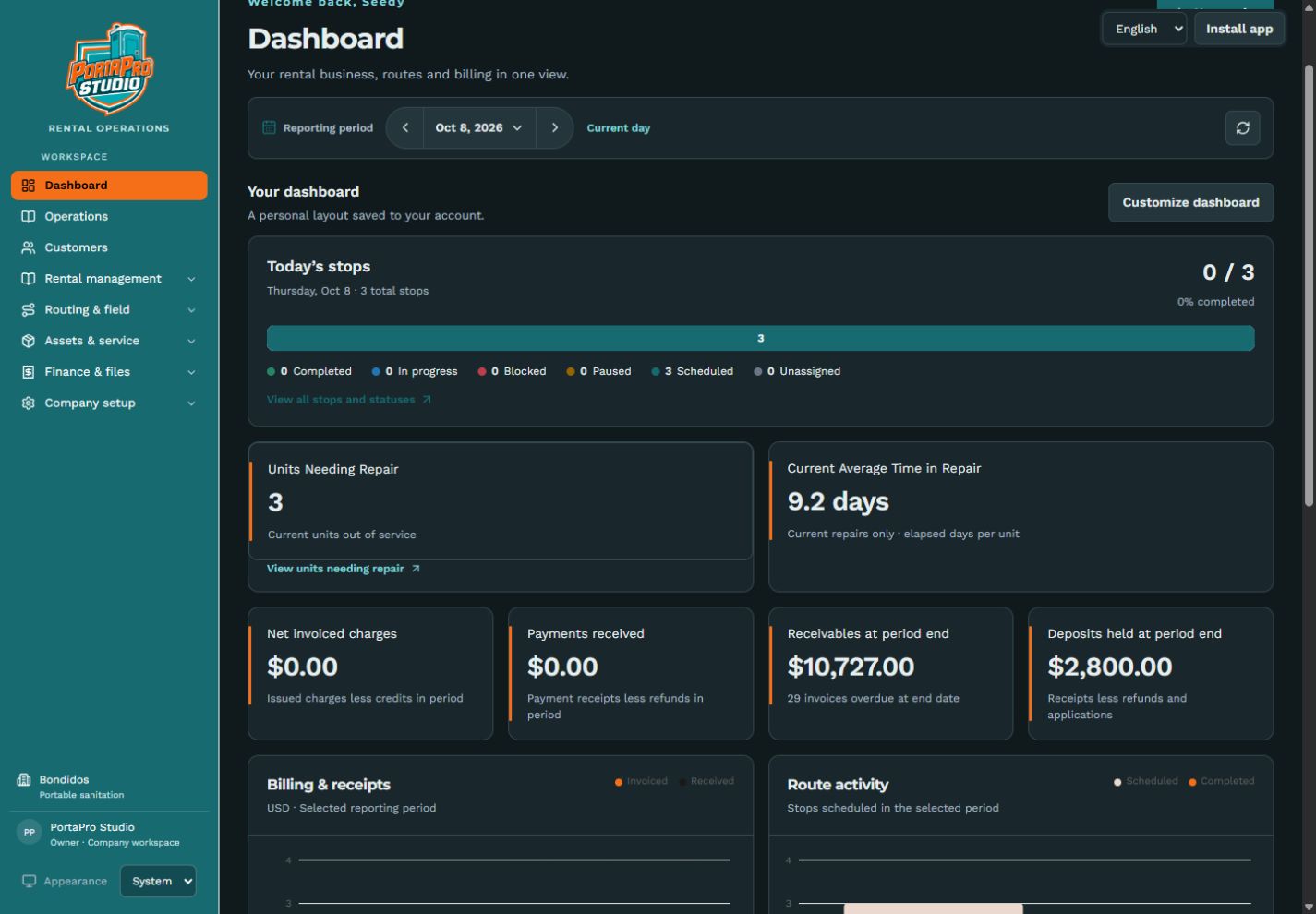
PortaPro Studio development build with sample rental data.
ONE WORKSPACE. EVERY PART OF THE JOB.
Start with portable sanitation. Grow into any business that rents equipment by the day, week, month, or an ongoing cycle.
Find customers as you type. Keep every job site under one profile, review previous orders, and start a new order for the same site.
Start with your daily stop tracker. Follow statuses, plan routes on labeled Google satellite maps, and manage service exceptions.
See available, rented, and damaged equipment. Track each repair’s elapsed time, swap damaged units, and return repaired units to inventory.
Give employees their assigned routes, job details, photos, checklists, and safety tasks. Owners and managers get the full business view.
Give customers a place to review proposals, request changes, approve terms, and stay in touch with your team.
Manage open-ended rentals, recurring billing periods, extra service charges, and manual price adjustments. Payment processing requires your merchant connection.
FROM FIRST CONTACT TO FINAL PICKUP
Find a customer and site, or repeat a previous order. Set dates, equipment, rates, and service days. Save a draft or prepare a customer proposal.
Reserve the right units. Prepare deliveries, pickups, and the day’s service routes.
Your field team records work, photos, job updates, and anything that needs attention.
Follow billing, reconcile payments, pick up equipment, and handle cleaning or repairs.
FROM THE OFFICE TO THE JOB SITE
Owners and managers lead with the business dashboard. Field employees lead with the work assigned to them. Your customers get their own proposal portal.
FAQ
No. Portable sanitation leads the first workflows, but the catalog supports event equipment, trailers, tools, and other period-based rentals.
Yes. Multiple addresses and job sites live under one customer profile, with prior orders and equipment history available when entering a new order.
Field employees see their assigned routes, jobs, responsibilities, and safety tasks. Owners and managers get the broader workspace and daily business dashboard.
CardPointe is the planned primary payment connection. Secure card capture, recurring card billing, and customer-specific ACH/check workflows require the merchant connection and testing before live processing.
Migration tools cover customers, locations, equipment, and other supported records, with review steps before imports are applied.
Pilot access, production setup, and subscription pricing are still being finalized. The review workspace is available below; opening it does not start a paid subscription.
MAKE THE WHOLE DAY MAKE SENSE
Explore the review workspace, try the mobile experience, or walk through the customer proposal portal.